Role
Product Designer
Team
7 people
Timeline
May 2019 — Jul 2020
Introduction
Jotform Report Builder, first launched in 2014, allows users analyze, visualize, and share form data. However, its outdated design and lack of customization limited flexibility, and reports were static, requiring manual downloads for sharing.
The goal was to modernize the interface, enhance customization, and introduce interactive sharing. I was fully responsible for the UX, UI, and interaction design of the product.
Challenges
• How might we modernize Report Builder’s interface while maintaining ease of use?
• How might we enable users to share reports dynamically instead of relying on static downloads?
• How might we streamline report creation to make it more efficient and customizable?
Problem & Development Background
Jotform Report Builder was designed to help users analyze their form data. However, as Jotform introduced new products and a modern design language, Report Builder did not keep up with these updates.
The existing solution was not flexible enough for users to visualize their data through charts and graphs. To provide a better experience, a dashboard-based version was developed. This new design aimed to present form data in a more structured and visualized way using charts and graphs.
Report Builder - Old Version
Solution & Design Process
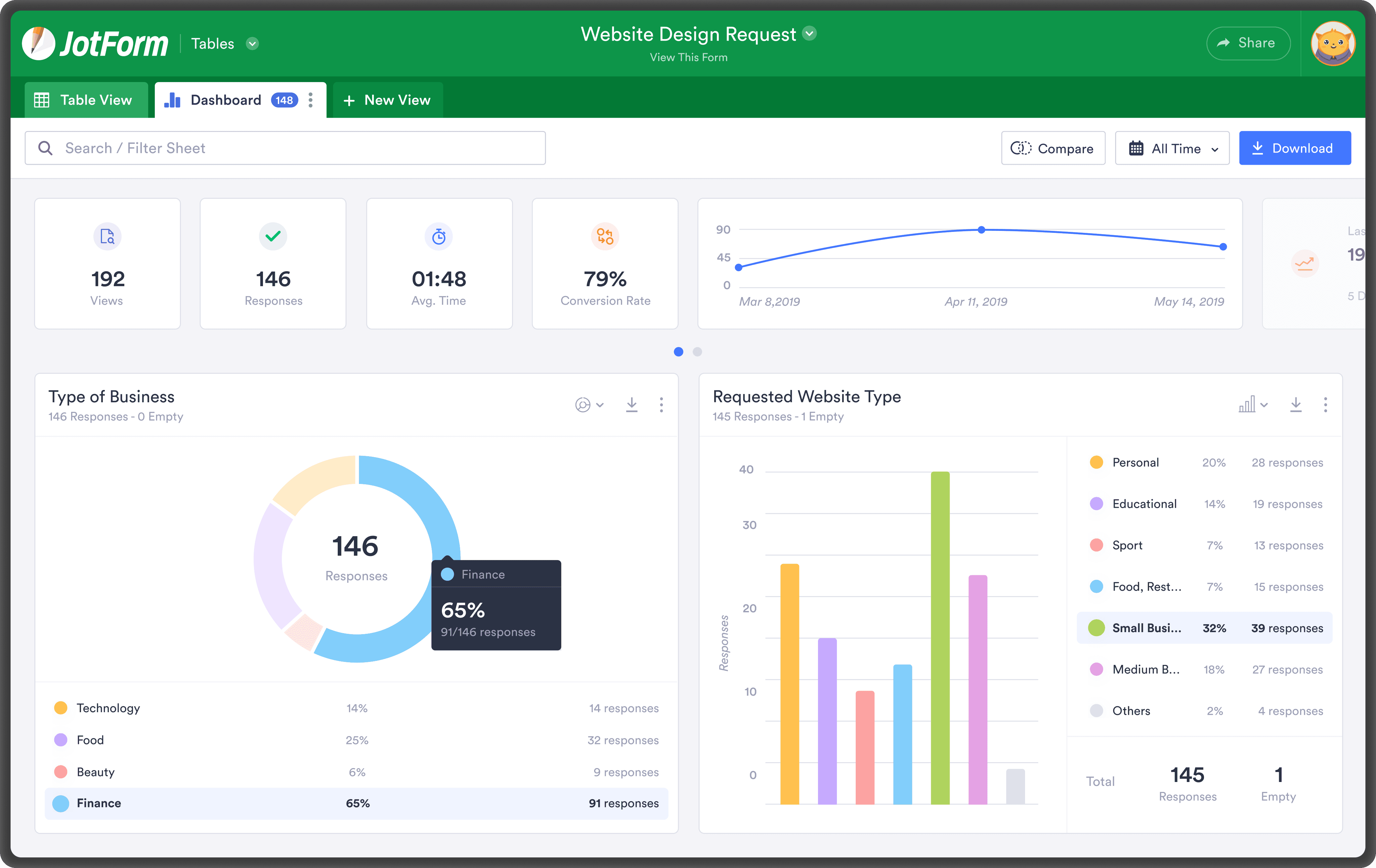
In the initial phase, a new dashboard-based version of Jotform Report Builder was developed.
This version allowed users to:
• View their form data in a more structured and meaningful layout.
• Use different chart and graph types to better visualize their data.
First Iteration — Dashboard
However, during the beta phase, we noticed that some users wanted to print their reports. Based on this feedback, it became clear that Report Builder needed to support not only on-screen data analysis but also an exportable format.
At this stage, we began developing the print feature, allowing users to download their reports as clean and well-structured PDFs. But as the process evolved, it became evident that this need was not limited to just printing.
Many users wanted to share their reports, and to do so, they either downloaded them or printed them to distribute physically. This led to the realization that the real need was for a shareable and dynamic reporting solution.
This insight led to the idea of transforming Report Builder dashboard to a drag&drop presentation tool.
New features were developed to allow users to interactively present and share their reports.
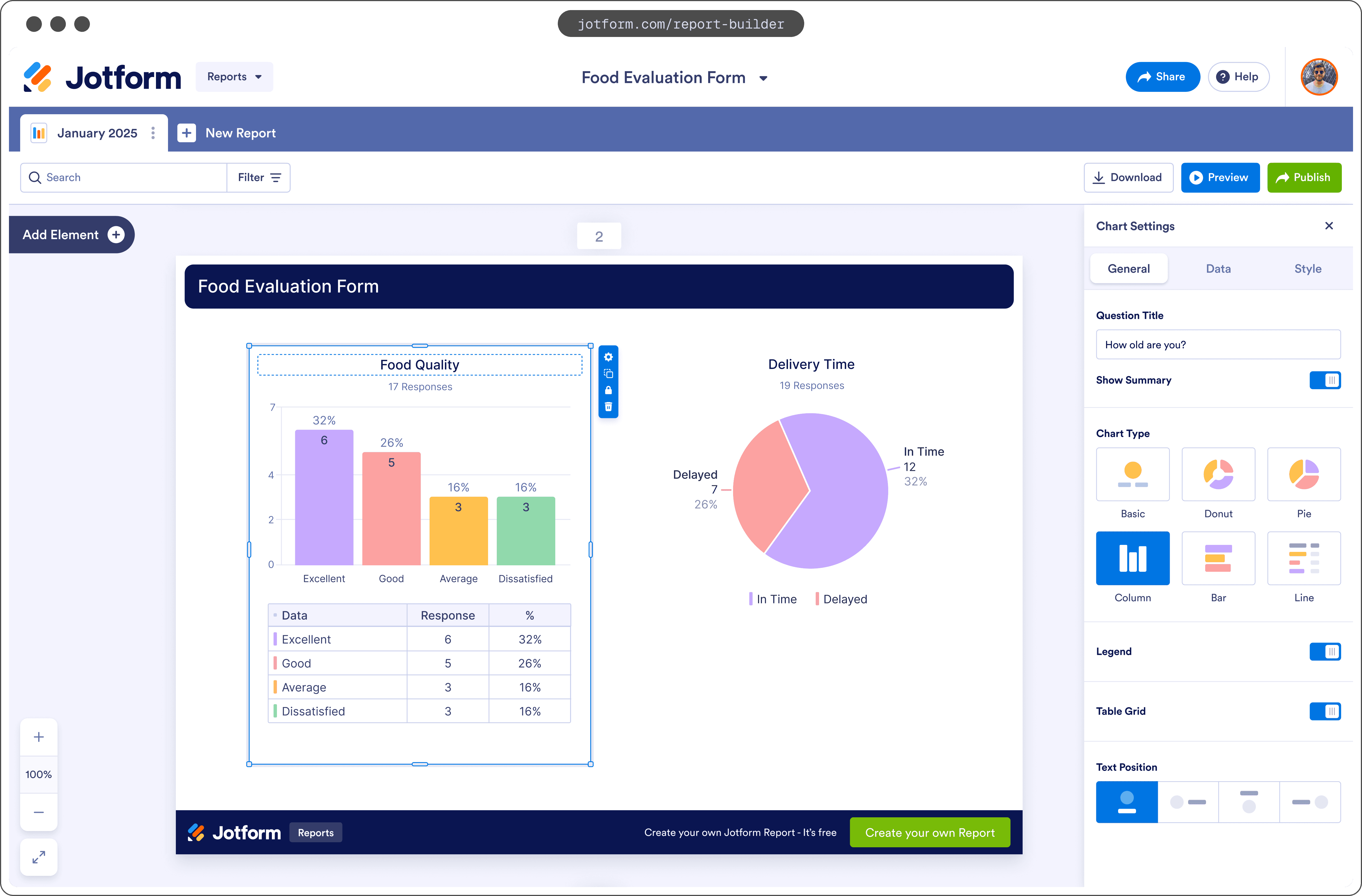
New Report Builder
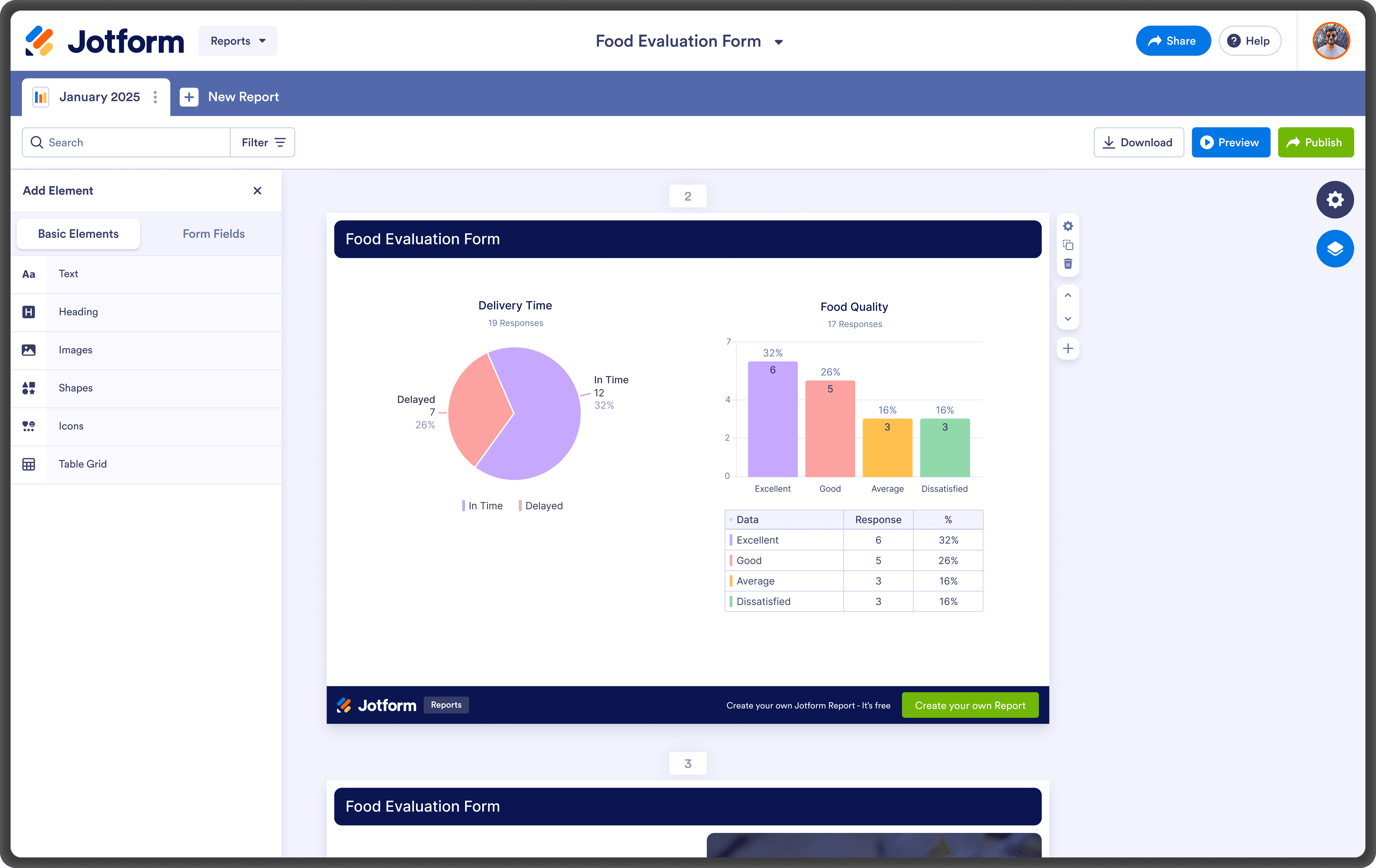
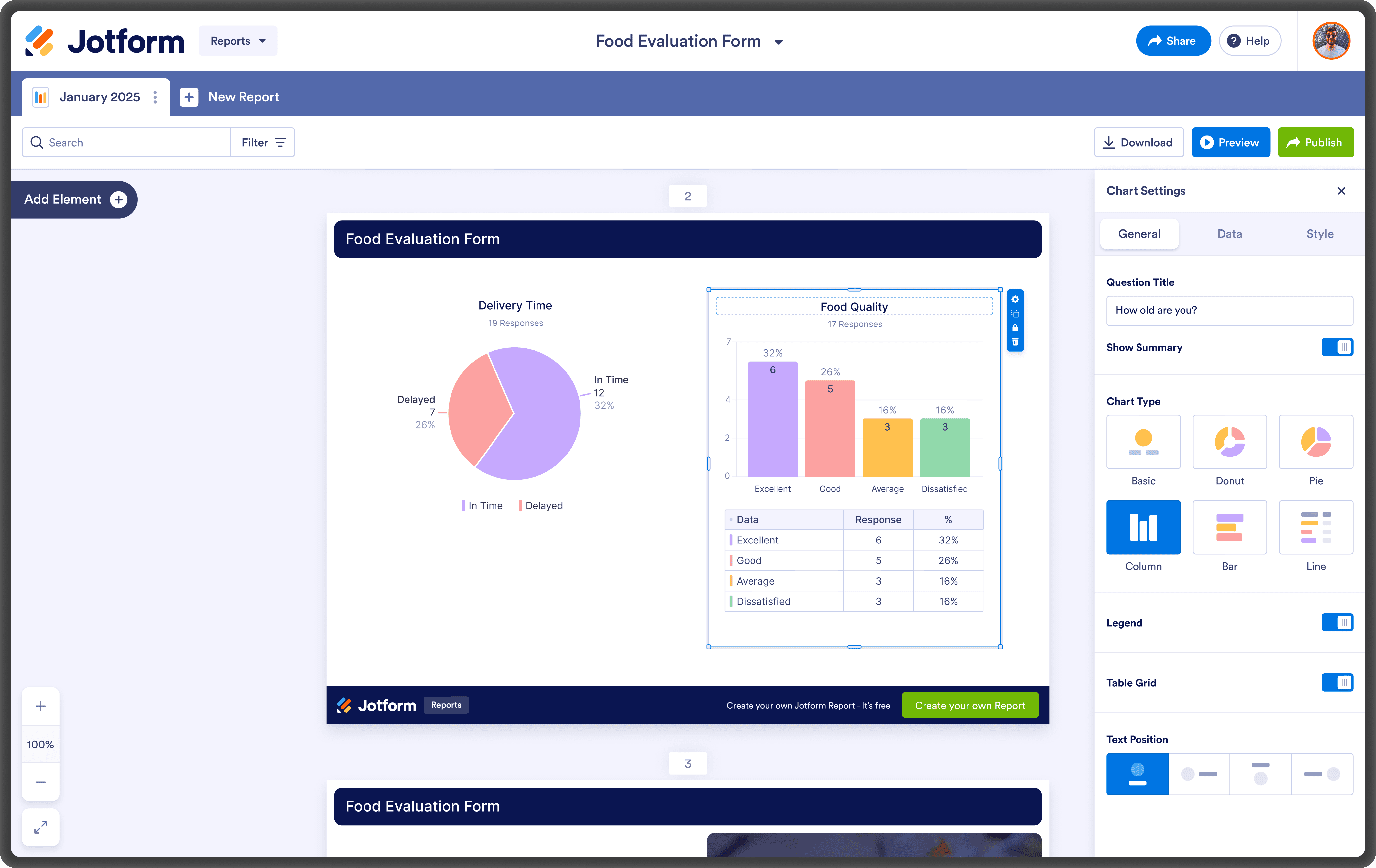
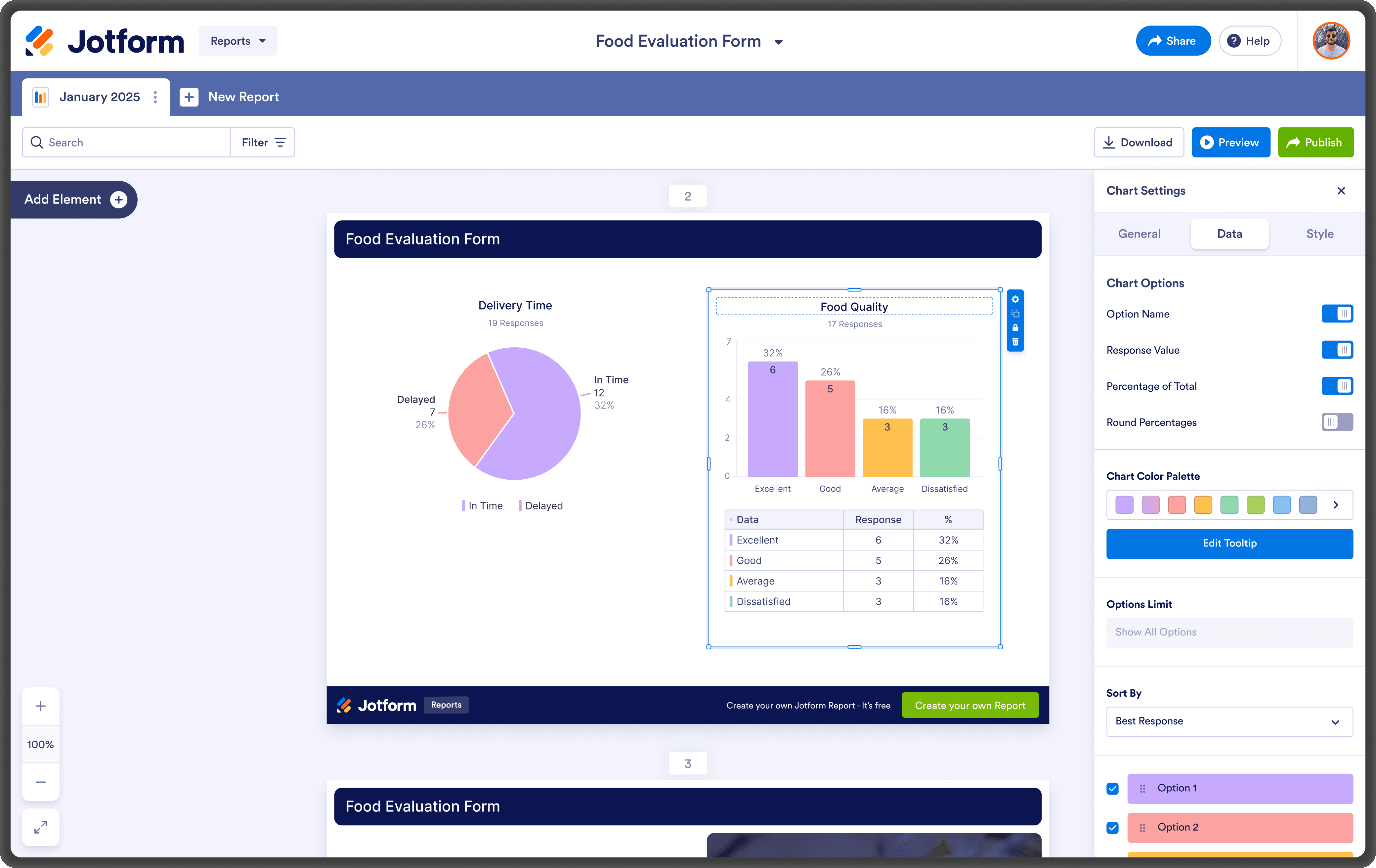
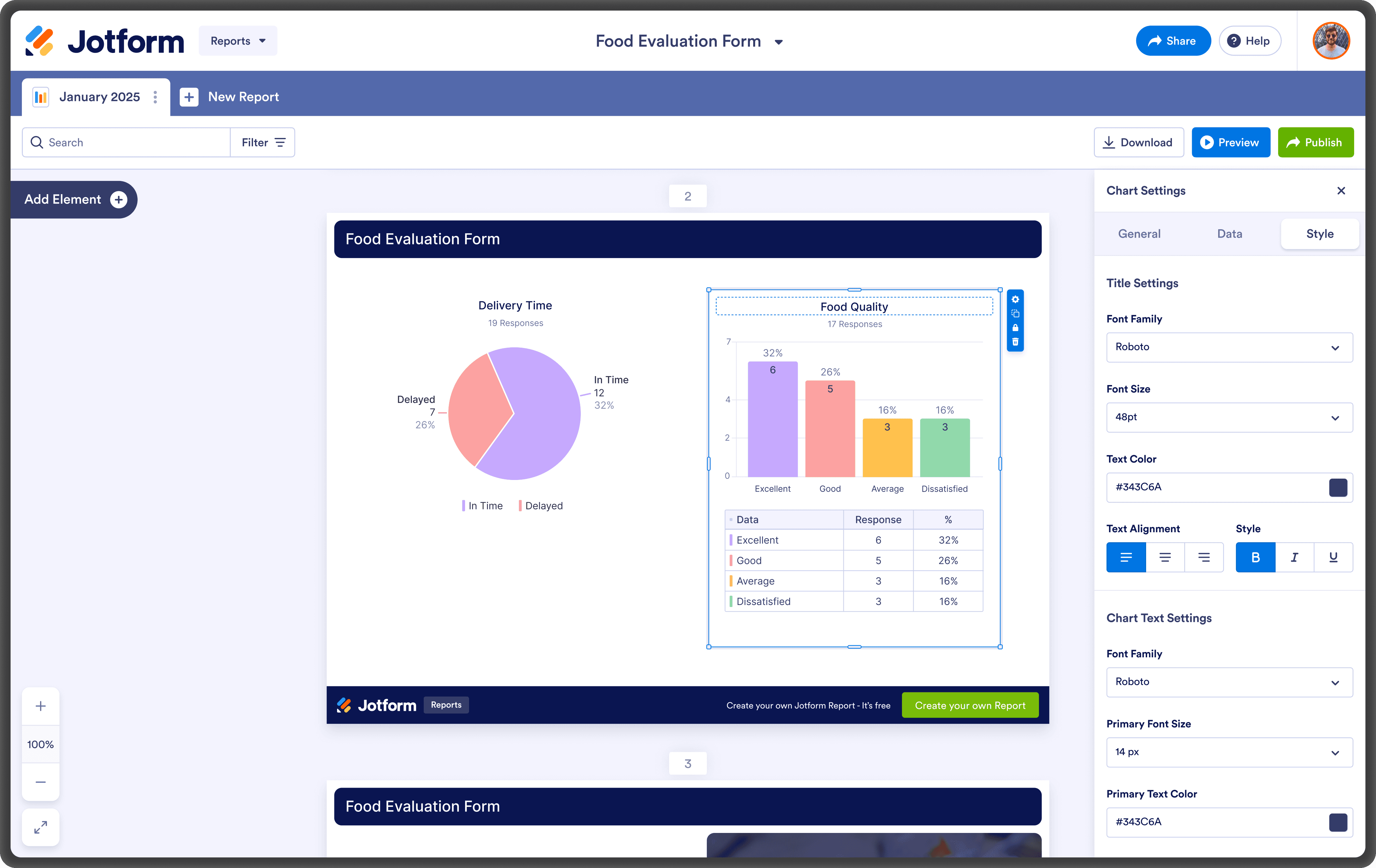
With this transformation, Report Builder evolved from being just a reporting tool into a live data sharing and presentation platform.
Users can now:
• Present their reports in full-screen mode.
• Navigate between slides interactively.
• Present and store their reports directly within Jotform without needing an external tool.
• Share live data, allowing viewers to see real-time updates.
• Filter data based on specific date ranges to create dynamic reports.
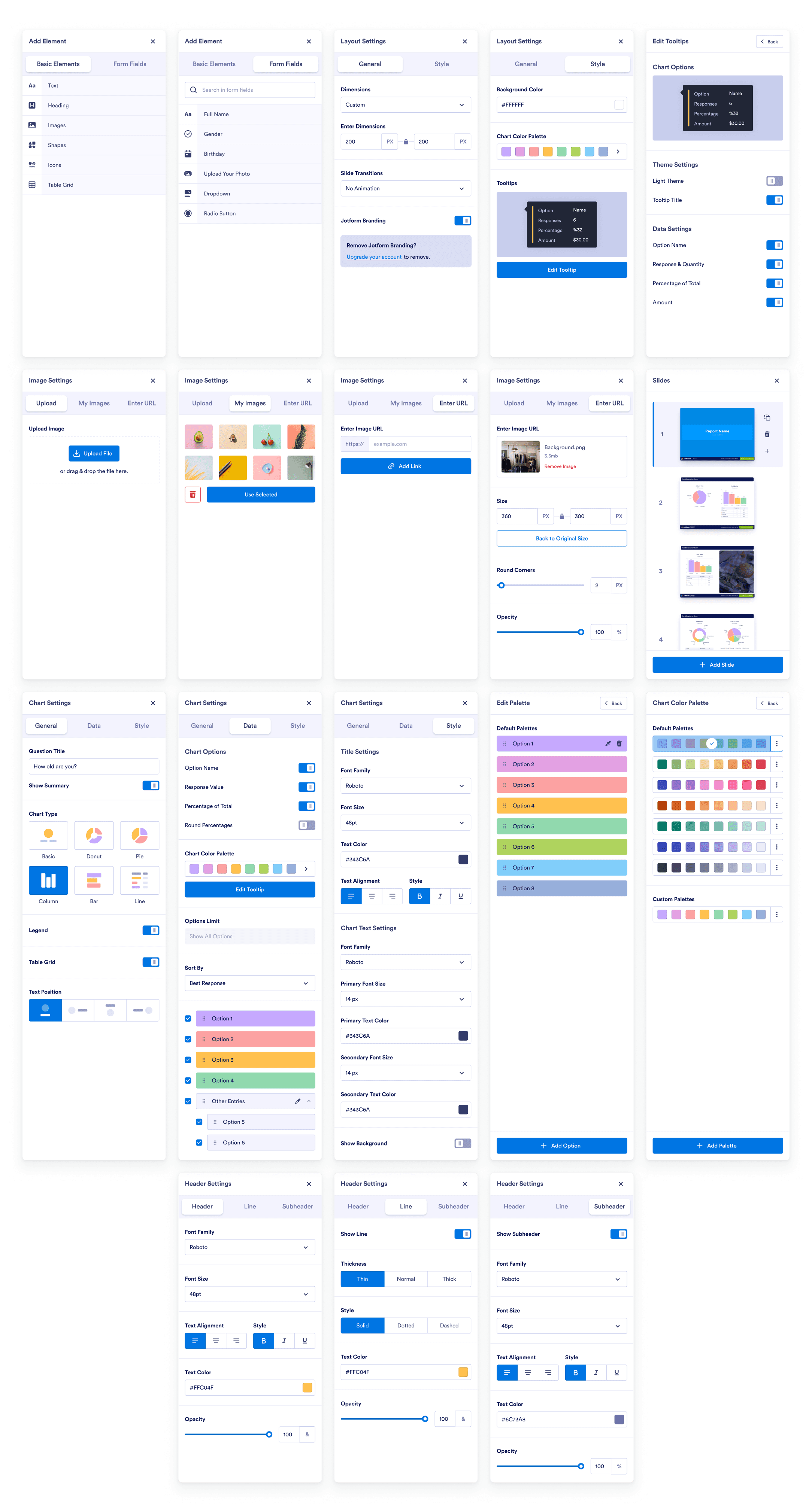
Additionally, personalization features were added to help users align their reports with their brand identity.
Report Builder — Settings